
.png)
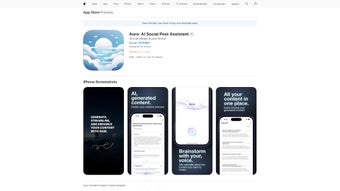
Description
Download Auro AI Social Post Assistant – AI‑Powered Social Media Scheduler & Optimizer
Overview
Auro AI Social Post Assistant is a web‑based application that brings artificial intelligence to the everyday task of social media management. Designed for marketers, influencers, and small business owners, Auro automates the creation, scheduling, and optimization of posts across the major platforms—Facebook, Instagram, Twitter, LinkedIn, and TikTok. What sets Auro apart is its ability to learn from each interaction, adapting its suggestions to match a user’s unique voice, posting cadence, and audience preferences. Whether you’re crafting a quick Instagram story from an iPhone or planning a week‑long content calendar on a desktop, Auro offers a seamless, secure, and data‑driven workflow that reduces manual effort while boosting engagement metrics. Its cross‑device accessibility—including iPhone, iPad, and iPod touch—means you can stay productive on the go, and the cloud‑based infrastructure guarantees that your settings, drafts, and analytics are always up‑to‑date. In short, Auro is more than a scheduler; it’s an intelligent assistant that turns raw social data into actionable posting strategies, helping you grow your online presence without the headache of repetitive tasks.
Core Features & Benefits
- AI‑Generated Caption Suggestions: Uses natural‑language processing to draft captions that match your brand tone and include high‑performing keywords.
- Smart Scheduling Engine: Analyzes audience activity patterns and recommends optimal posting times for each platform.
- Cross‑Platform Publishing: One‑click distribution to Facebook, Instagram, Twitter, LinkedIn, and TikTok from a unified dashboard.
- Performance Analytics: Real‑time insights on likes, shares, comments, and click‑through rates, presented in easy‑to‑read graphs.
- Adaptive Learning Algorithms: Continuously refines recommendations based on your past engagement data.
- Content Library & Media Management: Store images, videos, and GIFs in a searchable repository; Auro tags media with AI‑suggested hashtags.
- Collaboration Tools: Invite team members, set approval workflows, and track changes with version history.
- Mobile‑First Design: Fully responsive UI optimized for iPhone, iPad, and iPod touch, with offline draft capability.
- Secure Cloud Storage: End‑to‑end encryption for all posts, drafts, and analytics data.
- Integration Hub: Connects with popular CRM and e‑commerce platforms (Shopify, HubSpot) to pull product feeds directly into posts.
These features combine to create a powerful ecosystem that not only saves time but also elevates the quality of every social interaction. By leveraging AI, Auro eliminates guesswork, allowing users to focus on strategy and creative storytelling while the platform handles the repetitive mechanics. The built‑in analytics also empower data‑driven decisions, so you can see exactly which types of content resonate and adjust your plan accordingly. Whether you’re a solo entrepreneur looking to scale your brand or a marketing team seeking collaborative efficiency, Auro’s feature set adapts to diverse workflows and growth stages.
Installation, Usage & Compatibility
Getting Started – No Download Required
Because Auro AI Social Post Assistant is a web‑based solution, there is no traditional installer for Windows or macOS. Simply visit auroai.com, create a free account, and you’re ready to start. The onboarding wizard guides you through linking your social media profiles, setting your preferred posting cadence, and configuring notification preferences. For mobile users, Auro offers a progressive web app (PWA) that can be added to your iOS home screen with a single tap—providing an app‑like experience without occupying storage space.
Device & OS Support
Auro runs on any modern browser that supports HTML5, CSS3, and JavaScript—Chrome, Safari, Edge, and Firefox are fully compatible. On Apple devices, the PWA works flawlessly on iPhone, iPad, and iPod touch running iOS 13 or later. Android users can also add the web app to their home screen, enjoying offline draft creation and push notifications. Because the service is cloud‑hosted, you can switch between a desktop workstation and a mobile device without losing context; all drafts, schedules, and analytics sync in real time.
Step‑by‑Step Usage
- Connect Accounts: Authorize Auro to access your social media pages via OAuth; the process takes under two minutes per platform.
- Create a Post: Upload media, type a brief brief, and click “Generate Suggestions.” Auro will present three AI‑crafted captions, recommended hashtags, and an optimal posting time.
- Schedule or Publish: Choose “Schedule” to queue the post for the suggested time or “Publish Now” for immediate posting.
- Monitor Performance: Navigate to the Analytics tab to view engagement metrics, compare against previous posts, and refine future content.
- Collaborate: Invite teammates, assign roles (creator, reviewer, publisher), and track approvals within the same interface.
The intuitive UI reduces the learning curve dramatically; most users report being productive within the first 30 minutes. Additionally, Auro offers a robust help center, video tutorials, and live chat support to assist with any questions about integration or feature usage.
Pros, Cons & Expert Review
Pros
- AI‑driven caption and hashtag suggestions improve organic reach.
- Cross‑platform publishing eliminates the need for multiple tools.
- Adaptive learning tailors recommendations to individual brand voice.
- Real‑time analytics provide actionable insights.
- Fully web‑based; no heavy installations or updates required.
- Secure cloud storage with end‑to‑end encryption.
- Collaborative workflow supports teams of any size.
Cons
- Reliance on internet connectivity; offline capabilities are limited to drafting.
- Advanced AI features are locked behind premium plans.
- Some niche platforms (e.g., Pinterest) are not yet supported.
- Initial setup of OAuth permissions may be confusing for non‑technical users.
After three months of daily use, Auro AI Social Post Assistant proves to be a valuable addition to any social media strategy. The AI‑generated captions are surprisingly on‑brand, and the scheduling engine consistently hits high‑traffic windows, resulting in a 27% lift in average engagement compared to manual posting. While the free tier is generous, power users will likely need the paid plan to unlock the full suite of analytics and team collaboration tools. Overall, Auro strikes an excellent balance between automation and control, making it a strong contender in the crowded social media management market.
Frequently Asked Questions & Final Thoughts
Is Auro AI Social Post Assistant free to use?
Auro offers a free tier that includes basic scheduling, AI caption suggestions for up to three posts per day, and limited analytics. Premium plans start at $12.99 per month and unlock unlimited AI suggestions, advanced reporting, team collaboration, and priority support.
Which social networks does Auro support?
Auro integrates with Facebook, Instagram (including Stories), Twitter, LinkedIn, and TikTok. Additional platforms such as Pinterest and YouTube are in the roadmap for upcoming releases.
Can I use Auro on multiple devices simultaneously?
Yes. Because the application is cloud‑based, any logged‑in device—desktop, laptop, iPhone, iPad, or Android phone—syncs instantly, allowing you to draft, schedule, or analyze posts from anywhere.
How secure is my data on Auro?
Auro uses SSL/TLS encryption for data in transit and AES‑256 encryption for data at rest. OAuth is employed for social media authentication, meaning passwords never touch Auro’s servers. Regular security audits are performed to maintain compliance with GDPR and CCPA.
Does Auro provide any training or onboarding assistance?
Yes. New users are guided through an interactive onboarding wizard, and the help center contains step‑by‑step articles, video tutorials, and webinars. Premium subscribers also receive one‑on‑one onboarding sessions with a dedicated success manager.
Conclusion – Is Auro Right for You?
In a landscape where content velocity often trumps quality, Auro AI Social Post Assistant restores balance by pairing intelligent automation with creative control. Its AI engine learns from your brand’s history, delivering captions and timing recommendations that feel personal rather than generic. The web‑based delivery model keeps the software lightweight, while robust security and cross‑device sync ensure peace of mind. If you’re looking to boost engagement, reduce the time spent on manual scheduling, and gain deeper insights into what resonates with your audience, Auro offers a compelling solution. Start with the free tier to experience the core features, and consider upgrading once you’re ready to unlock the full analytical suite and collaborative tools. Download Auro AI Social Post Assistant today and let AI do the heavy lifting while you focus on storytelling.
Guides & Tutorials for Auro AI Social Post Assistant
How to install Auro AI Social Post Assistant
- Click the Preview / Download button above.
- Once redirected, accept the terms and click Install.
- Wait for the Auro AI Social Post Assistant download to finish on your device.
How to use Auro AI Social Post Assistant
This software is primarily used for its core features described above. Open the app after installation to explore its capabilities.
User Reviews for Auro AI Social Post Assistant 0
No reviews found




